Meeting someone is one part of networking. Making it easy to reconnect is another.
A name typed into a phone can lose the context of the conversation. A paper card can disappear into a pocket. And sending someone to a full website can give them more information than they need in that moment.
I built a digital business card around a simpler question: what should someone be able to do immediately after meeting me?
Open my digital business card →
One page, a few useful actions
The card opens with my photo, name, a short introduction, and a prominent Save My Contact button. Message Me comes next, followed by direct options for calling, texting, emailing, or finding me on LinkedIn, X, and my website.
Below that, business links give people somewhere to go when they want more context. Someone interested in advisory work can find Highland Private Office without searching through a list of unrelated pages.
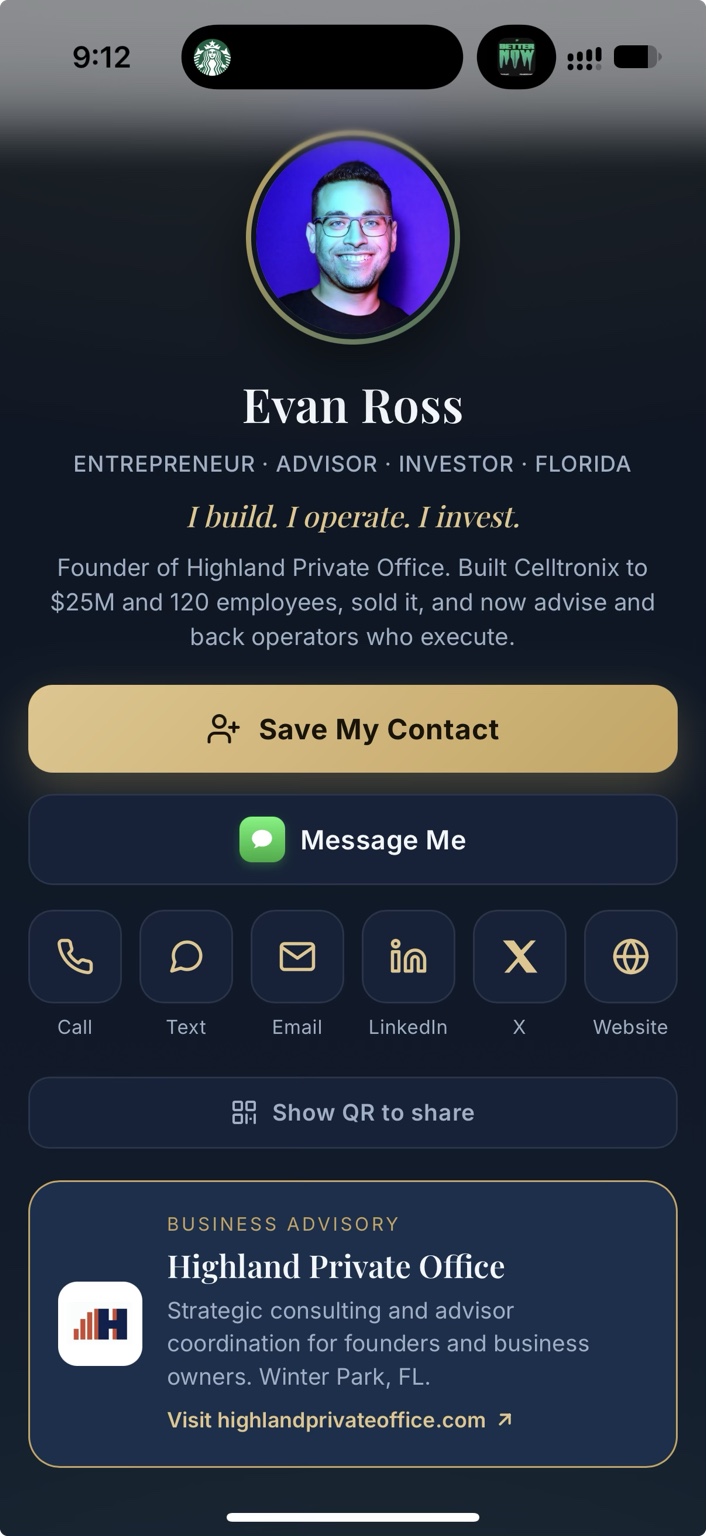
This is not meant to replace my website. It gives someone a short path to the part they need.
The QR code makes it useful in person
The app also has a sharing screen with my photo, name, and a large QR code. The code points to the card at evanrossfl.com/card/. There is a View My Card button as well, so sharing does not depend entirely on scanning.
At a networking event, I can bring up that screen and let the other person open the card on their phone. In a text or email, I can send the link directly.
If you are reading this on your phone, tap here to try the card. You do not need to scan a QR code displayed on the same screen.
What I would put on your version
The right card depends on what you want to happen after an introduction.
- Solo founders: a clear explanation of the business, a contact-saving option, and one next step.
- Consultants and independent professionals: services, a relevant example of your work, and a direct way to reach you.
- People representing several businesses: a short introduction with clearly labeled links for each business.
- Local service businesses: the service area, contact details, and a route to a quote or inquiry.
The design should feel like your business. The first screen should still answer the basic questions: who are you, what do you do, and how can someone reach you?
Make follow-up easy, then make it personal
A digital card does not create the relationship for you. It removes some of the friction around exchanging details.
After a good conversation, a short message mentioning what you discussed is still useful. The card gives the other person a place to check your background and choose how to respond.
Before using a card at an event, check the QR code, contact-saving action, and links on the phones you expect people to use. Keep the main actions easy to tap and review the content whenever your details change.
A small example of what Naveron builds
Not every useful technology project needs a large system behind it. Sometimes it is a focused app that does one everyday job well.
This is the kind of practical work Naveron helps solo founders and small businesses put in place: digital cards, websites, personal assistants and owner dashboards, and tools built around how you actually work.